Notes Drawer
English
Get it on Google Play

A home screen app for Android tablets and foldables

Your tablet wakes up as a notebook.

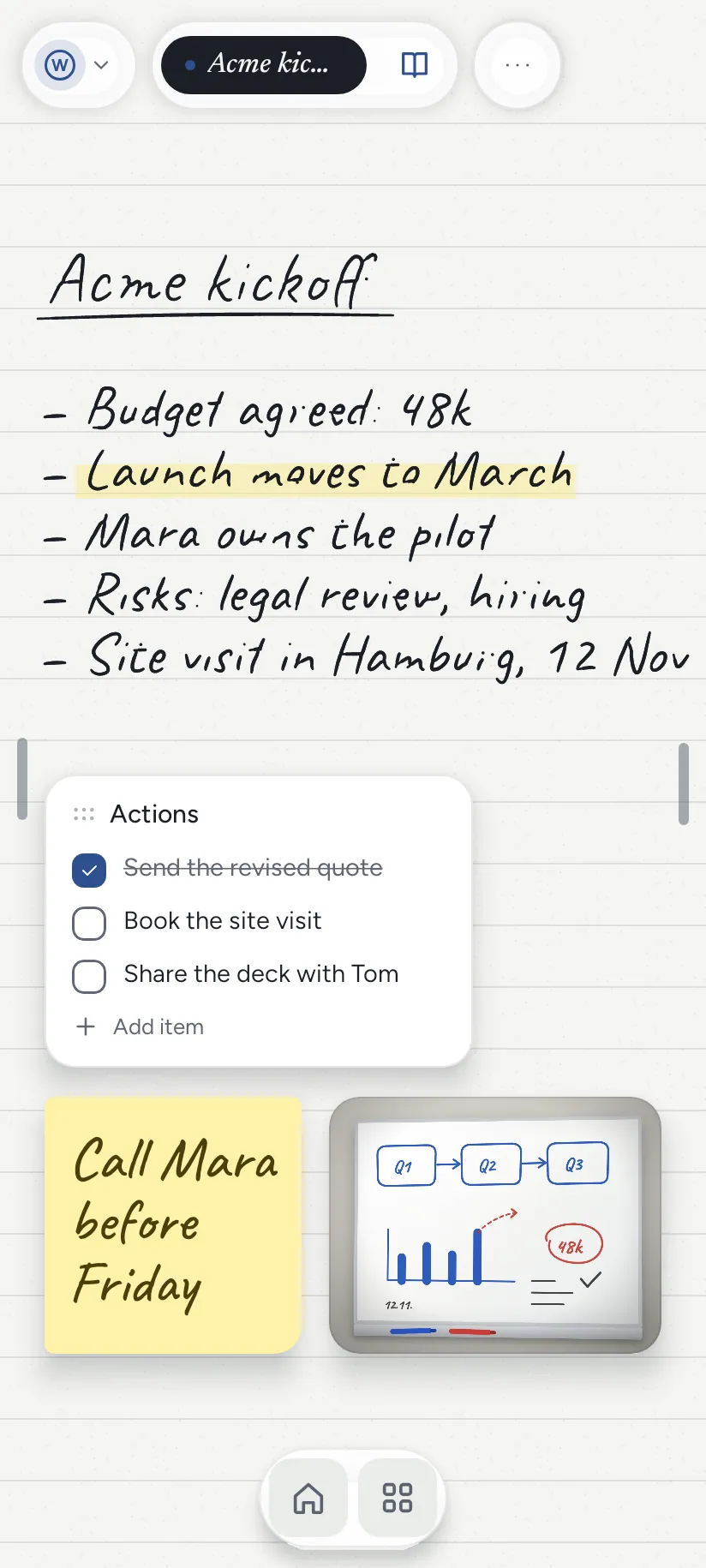
The home screen is a sheet of paper. Pick the tablet up and write.

Free · no account · no ads · your notes stay on your tablet
Your tablet wakes up as a notebook. The home screen is a sheet of paper. Pick the tablet up and write.
Your notebook, on every screen.

The film

Two and a half minutes with Notes Drawer.

Play the film · 2:24
In English. It plays from YouTube, which loads only when you press play.

The tour

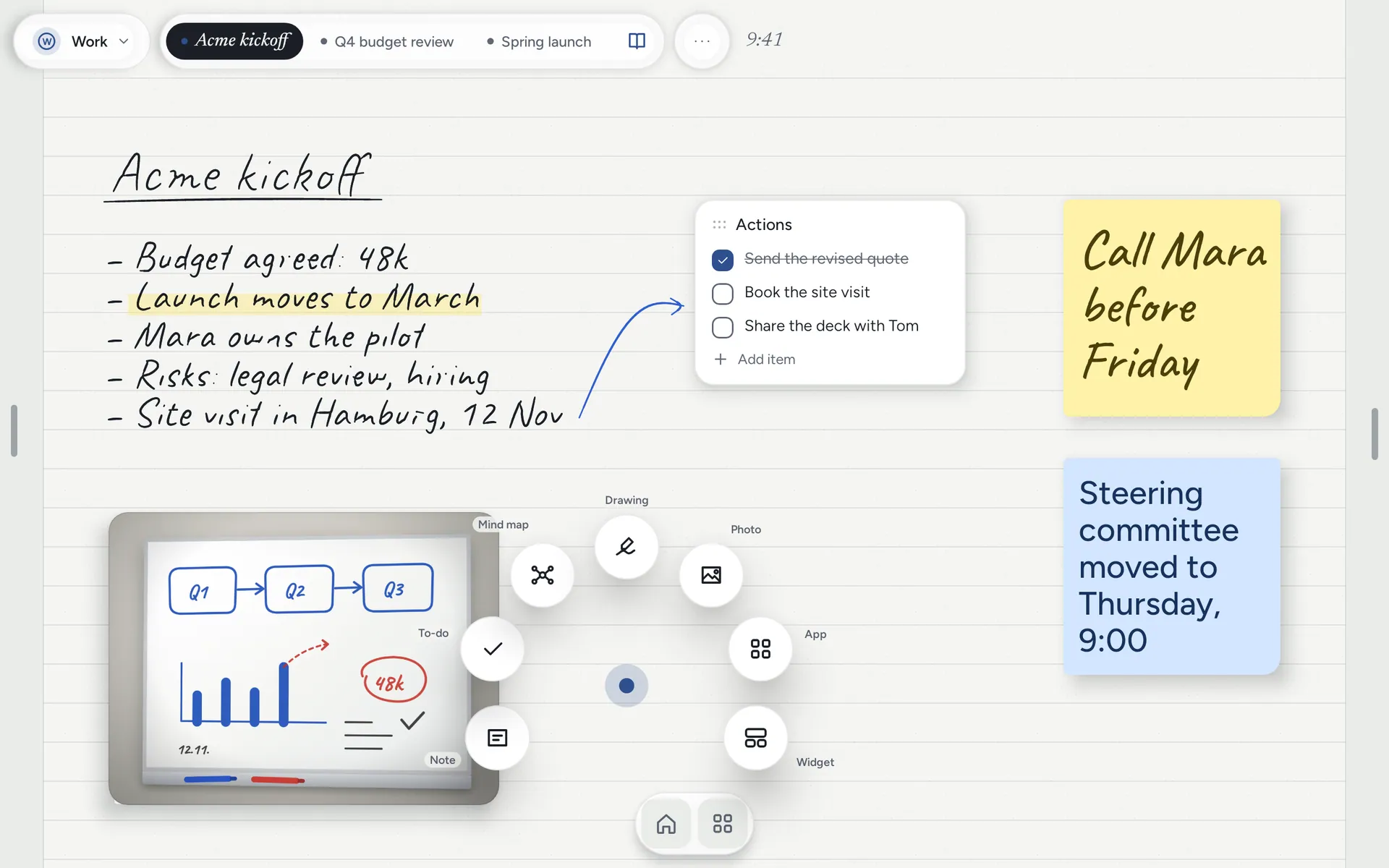
Your device, a creative tool that's always there. The home screen is paper.

Notes Drawer turns your device into a creative tool that's always there. It's a launcher, so the home screen itself is a sheet of paper: wake the screen and today's page is open, ready for a pen or a finger, the way a notebook on a desk is already open. No app to find, no title to type, no sign-in. The idea goes onto paper before it goes anywhere else.

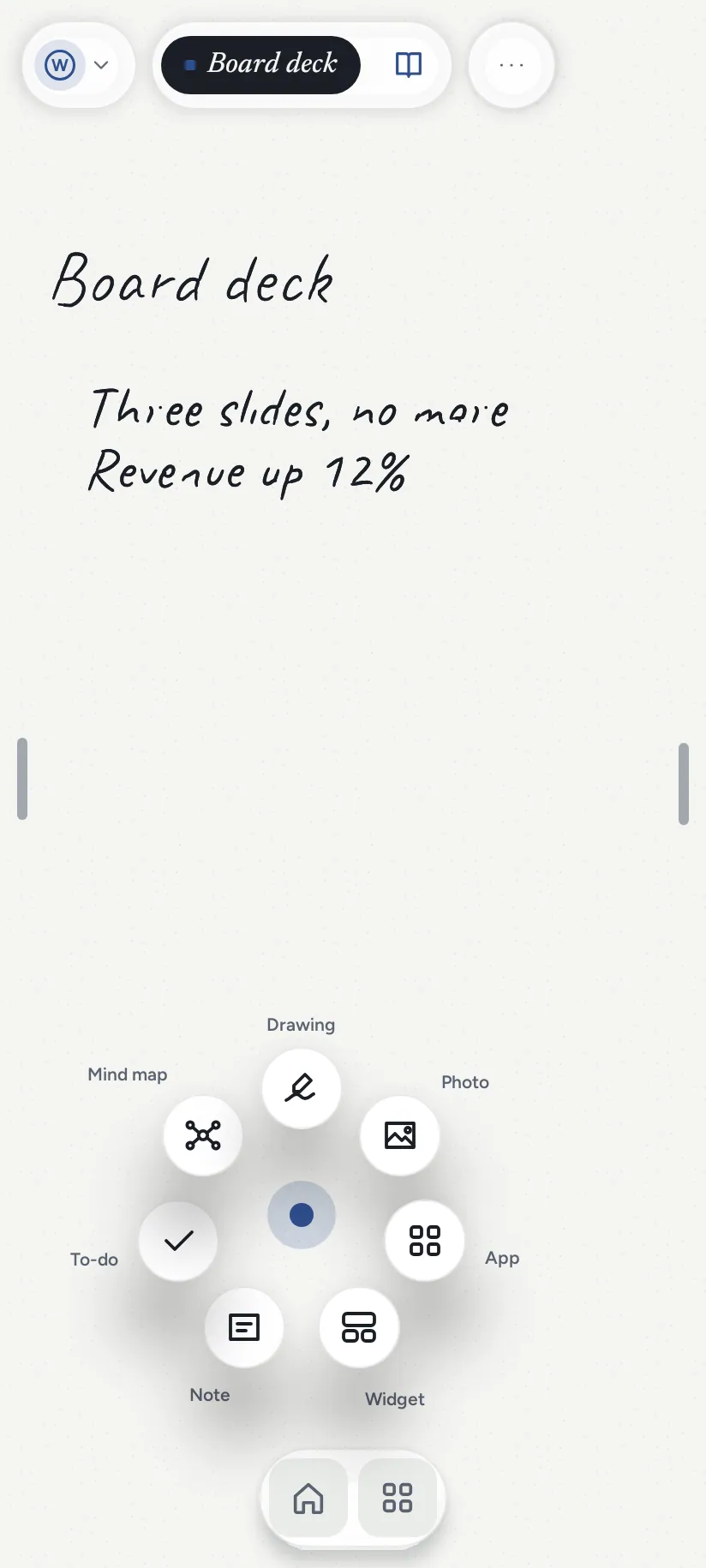
Hold the paper to add anything. A note, a to-do, a mind map, a photo, an app or a widget, right where you held.
Hold the paper to add anything.

A note, a to-do, a mind map, a photo, an app or a widget, right where you held.

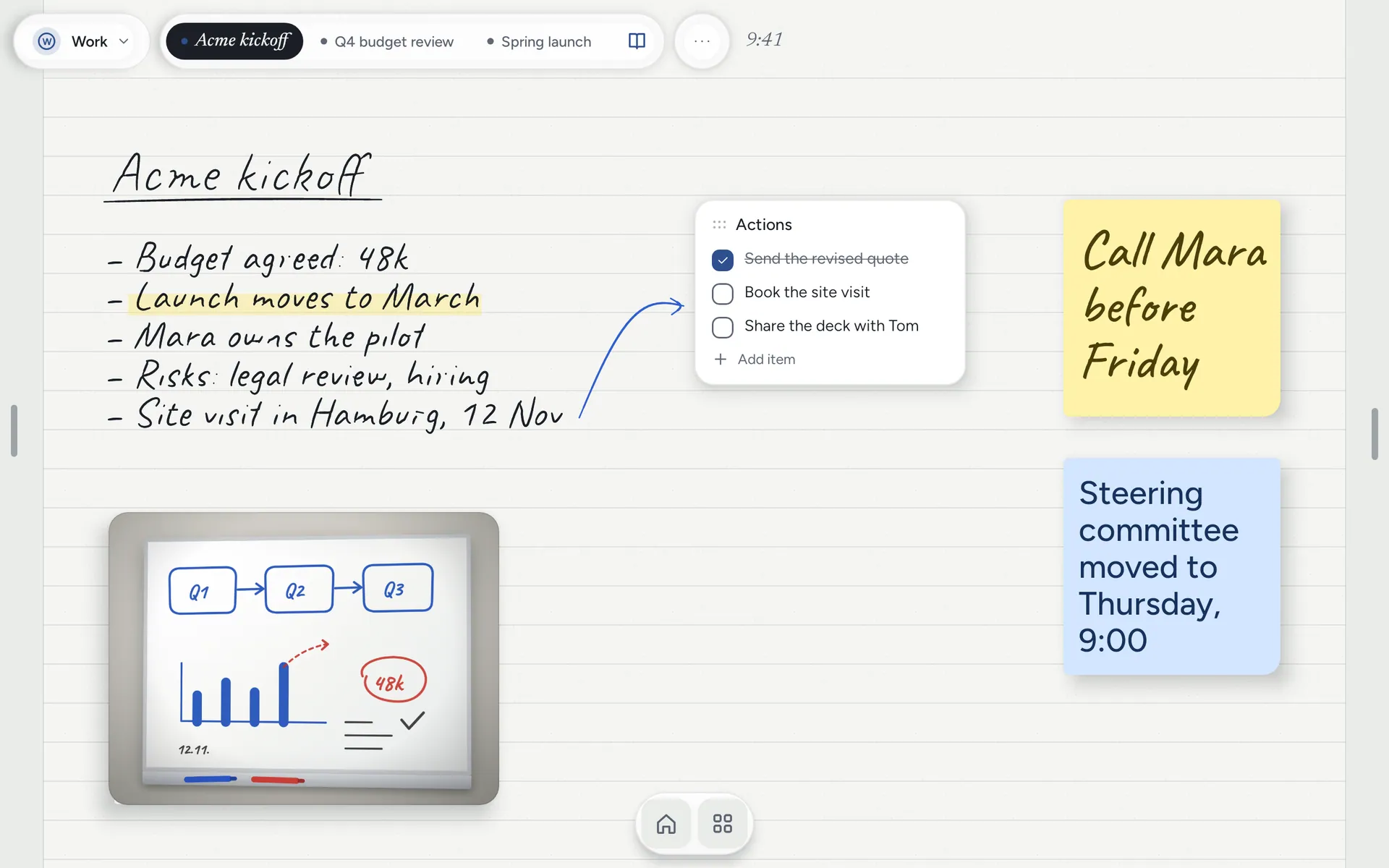
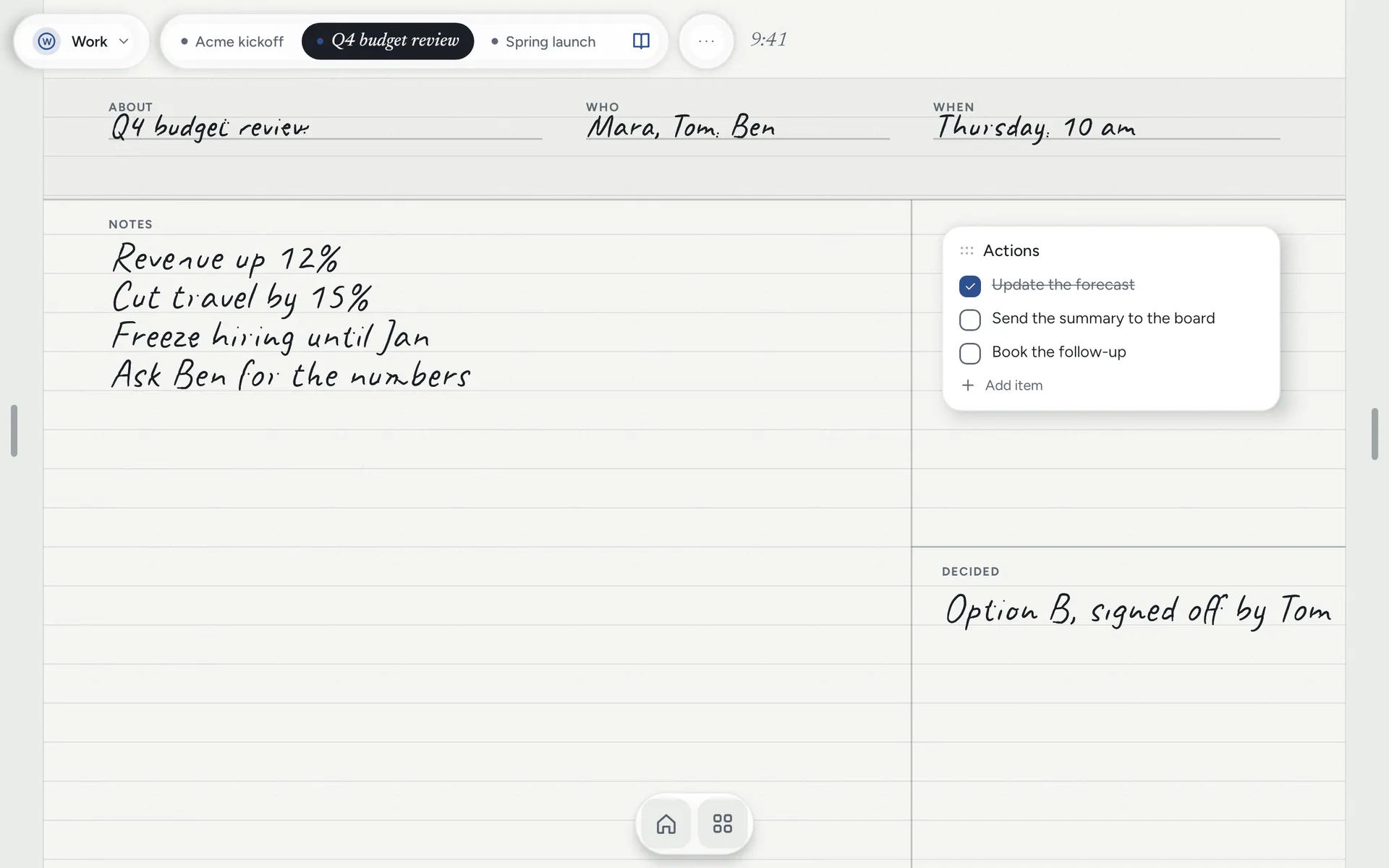
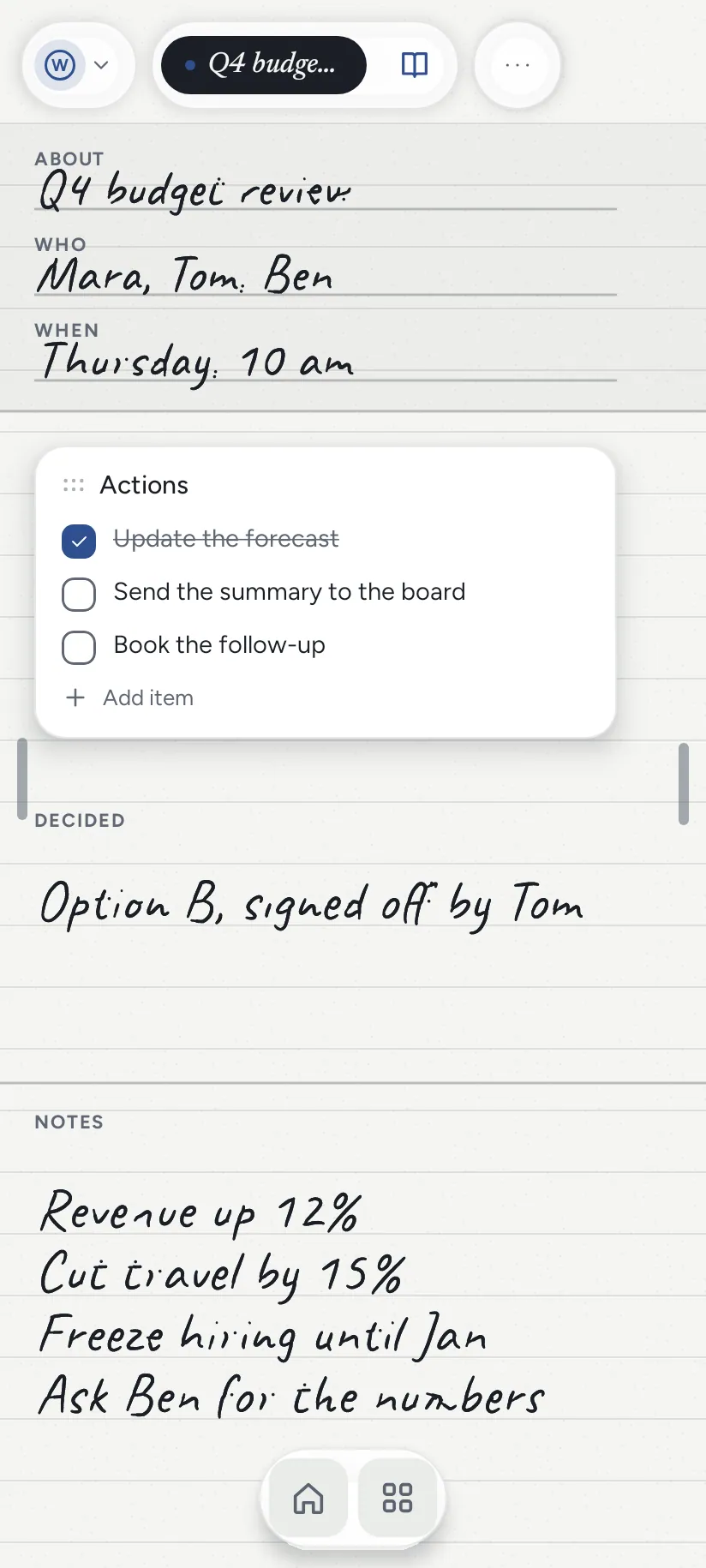
22 templates, dated for today. Meeting notes, one-to-ones, client calls, the day, the week, the month.
22 templates, dated for today.

Meeting notes, one-to-ones, client calls, the day, the week, the month.

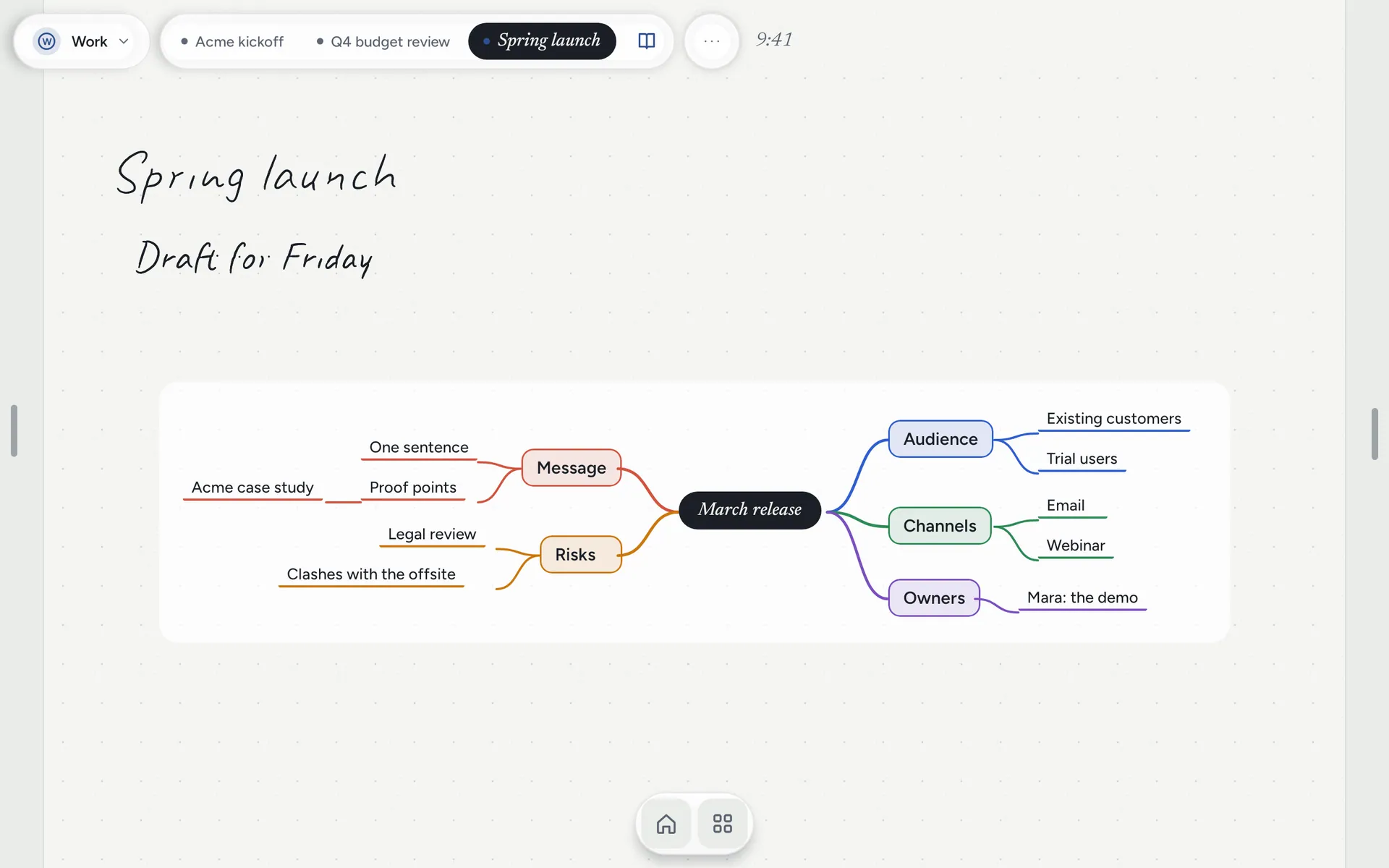
Mind maps that arrange themselves. Type a topic and press Branch. You never drag a box into place.
Mind maps that arrange themselves.

Type a topic and press Branch. You never drag a box into place.

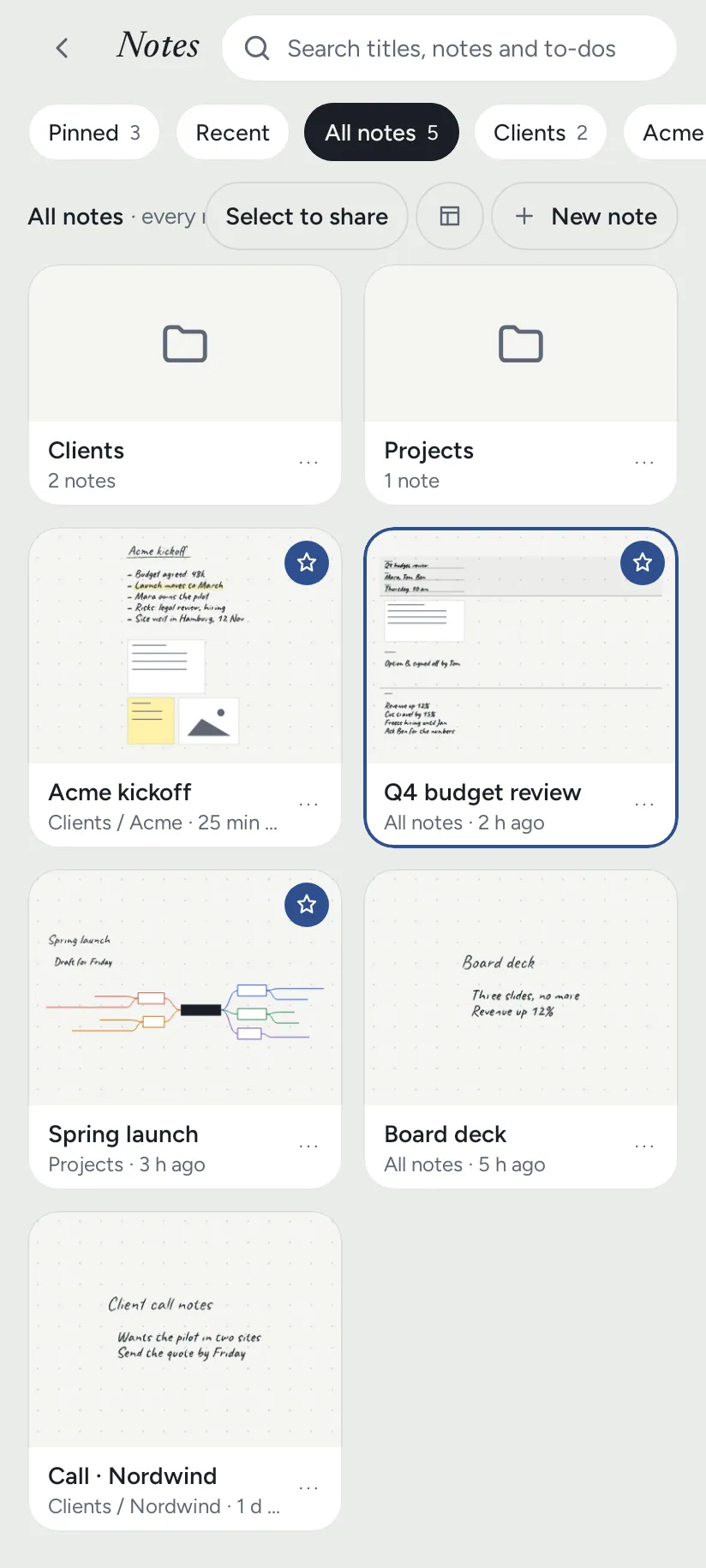
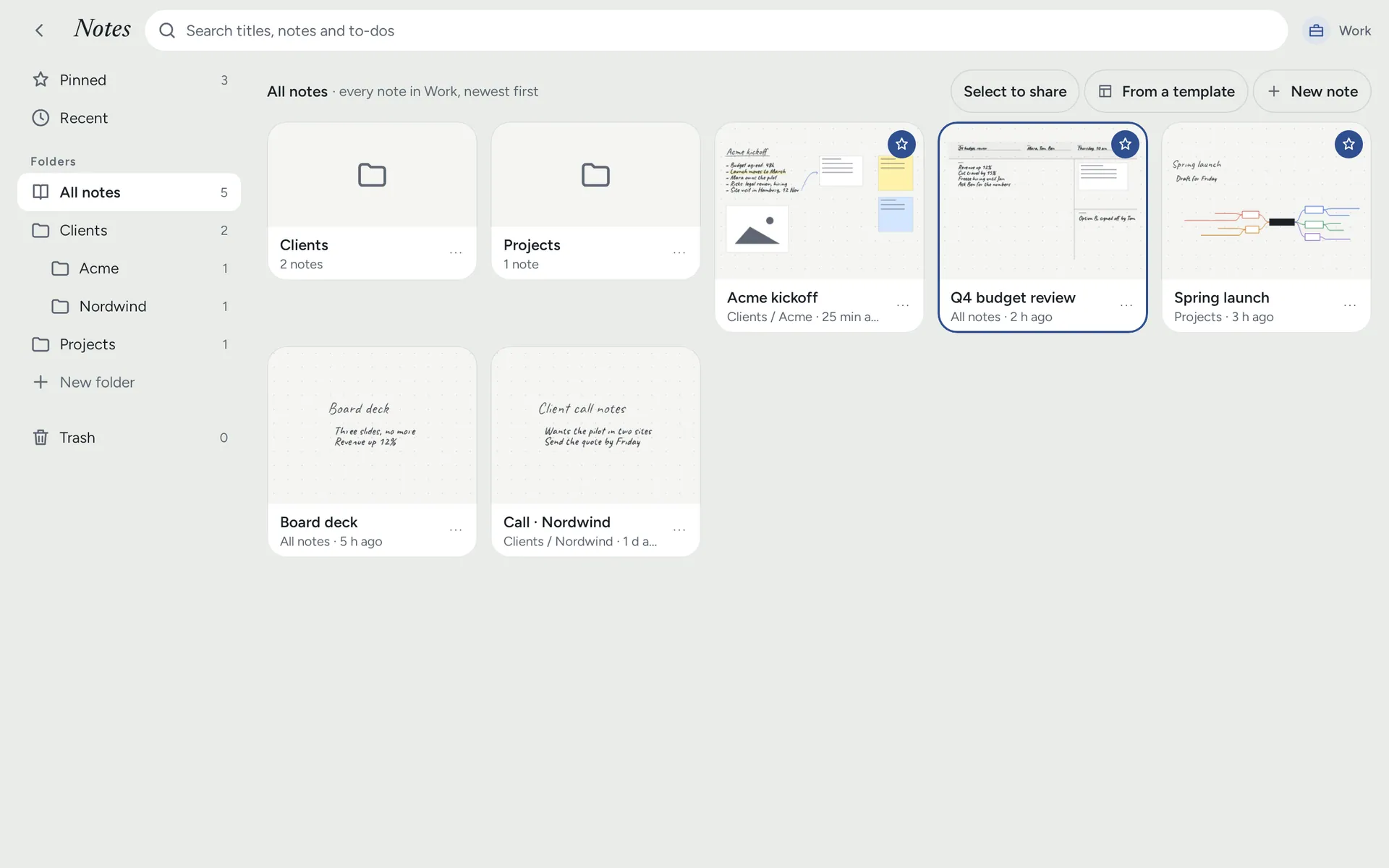
Every client and meeting, easy to find. Folders inside folders, pinned notes, and search across everything you typed.
Every client and meeting, easy to find.

Folders inside folders, pinned notes, and search across everything you typed.

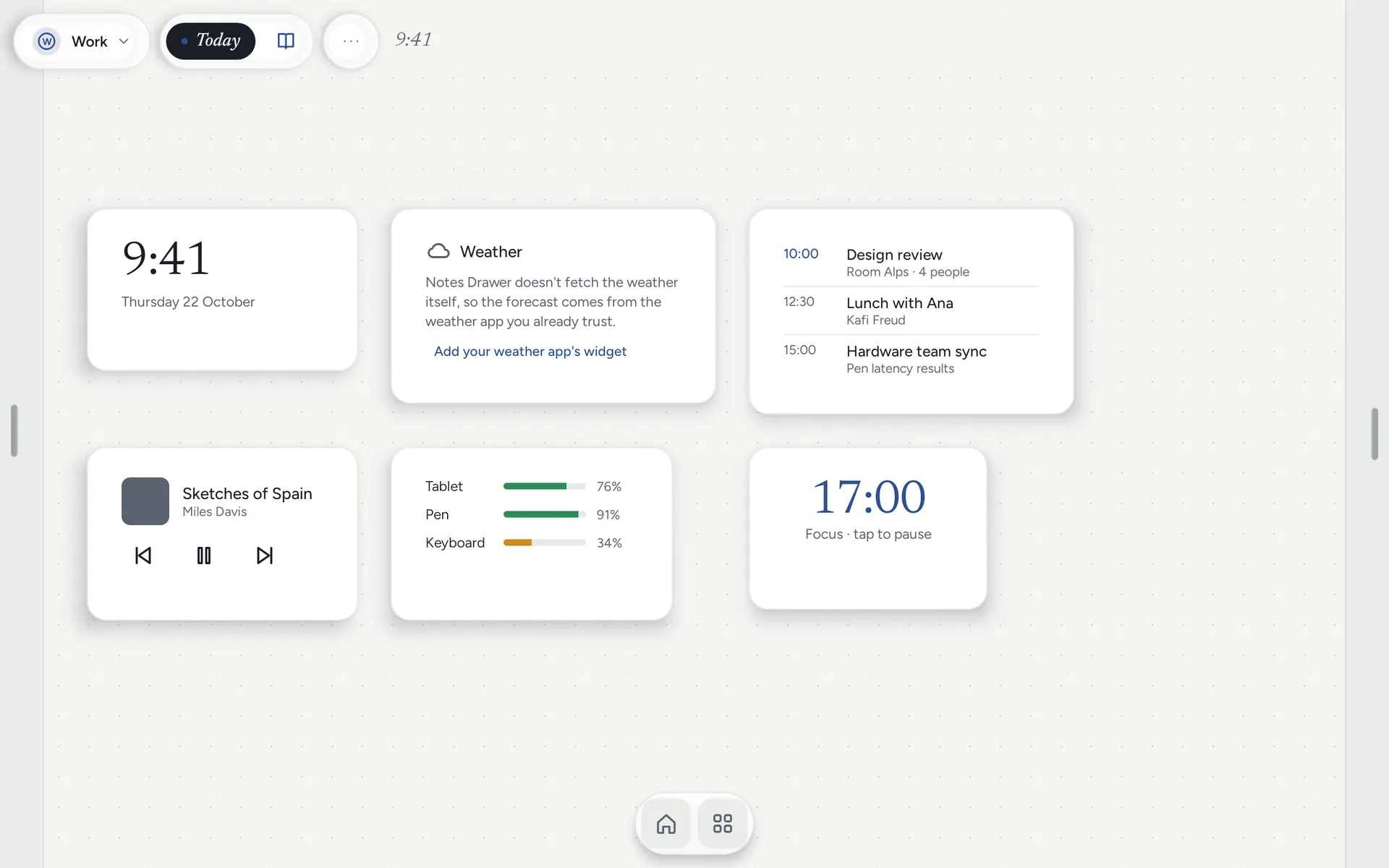
Your day, on the same page. Your calendar, a clock and your own Android widgets sit beside your notes.
Your day, on the same page.

Your calendar, a clock and your own Android widgets sit beside your notes.

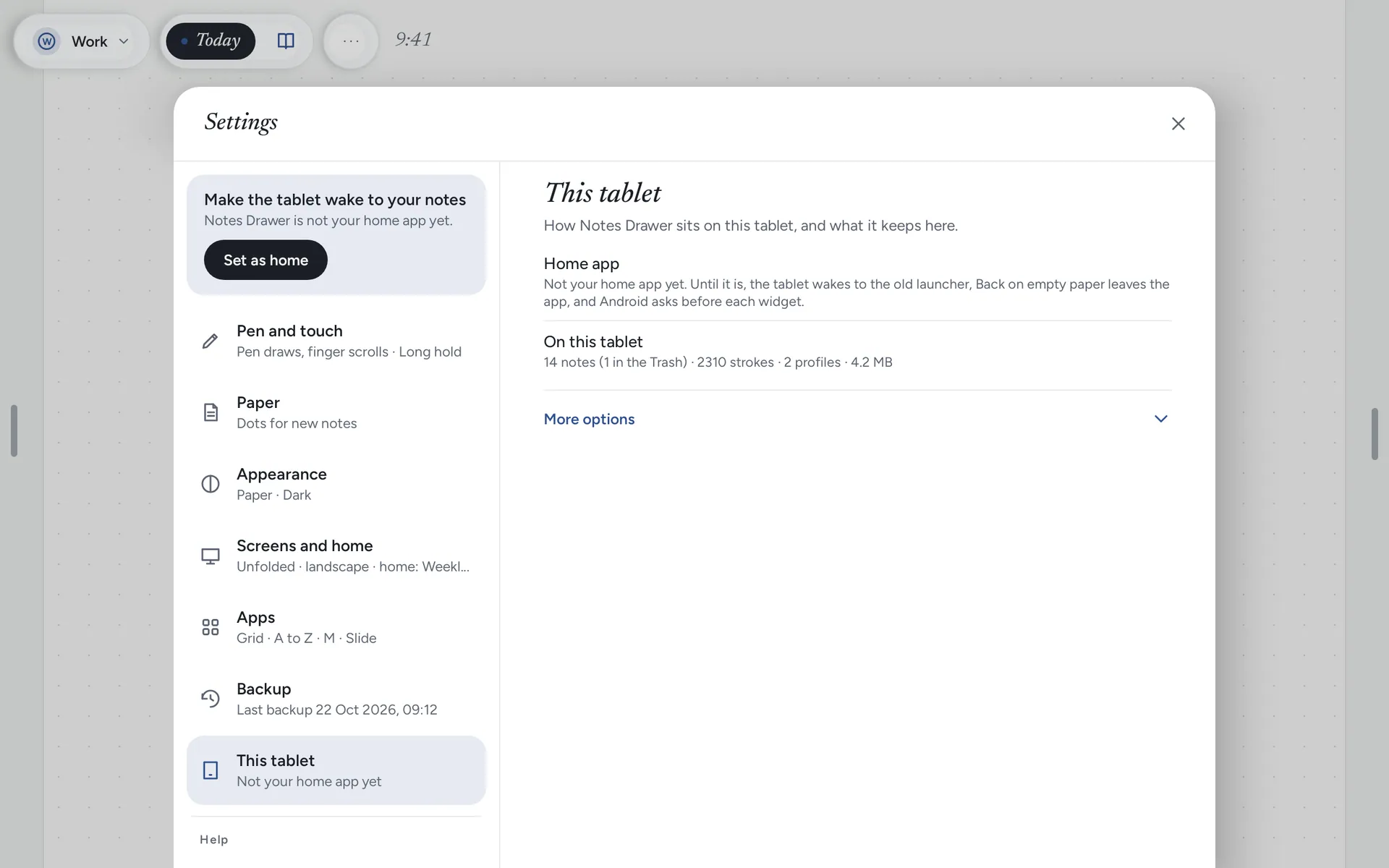
Your notes never leave your tablet. No account, no ads. Only a crash report goes out. A backup is written every day.
Your notes never leave your tablet.

No account, no ads. Only a crash report goes out. A backup is written every day.

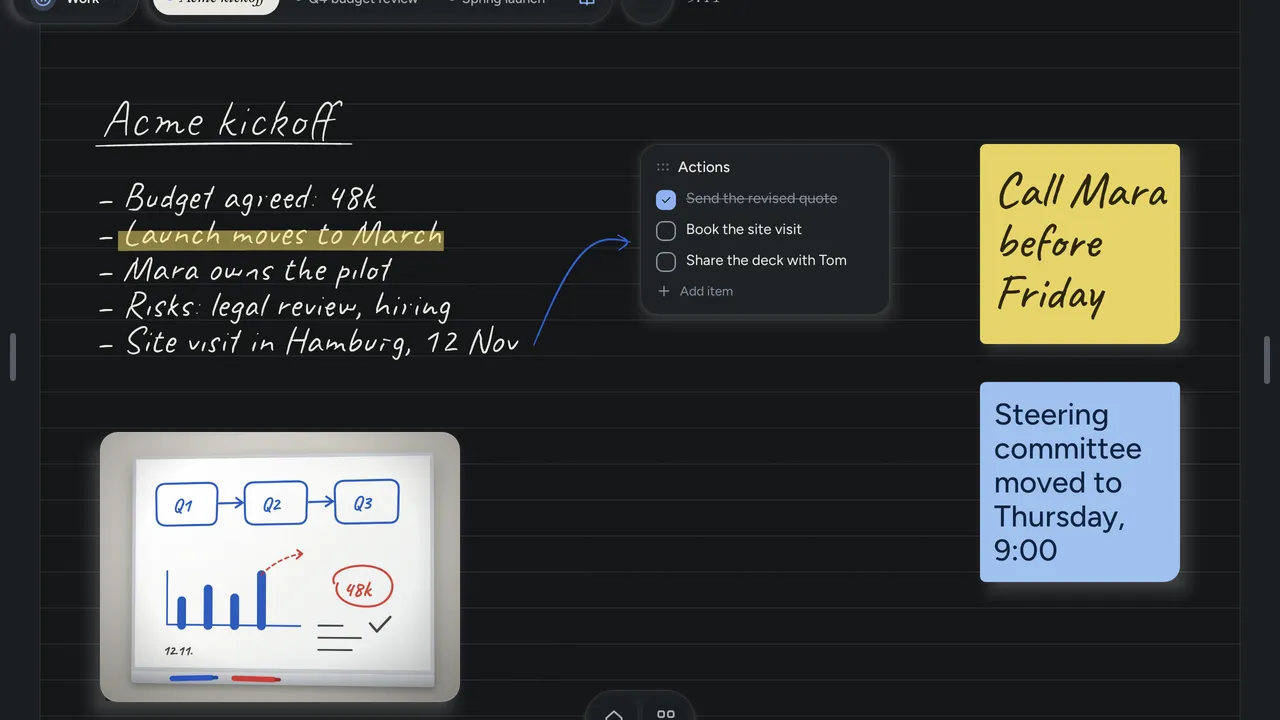
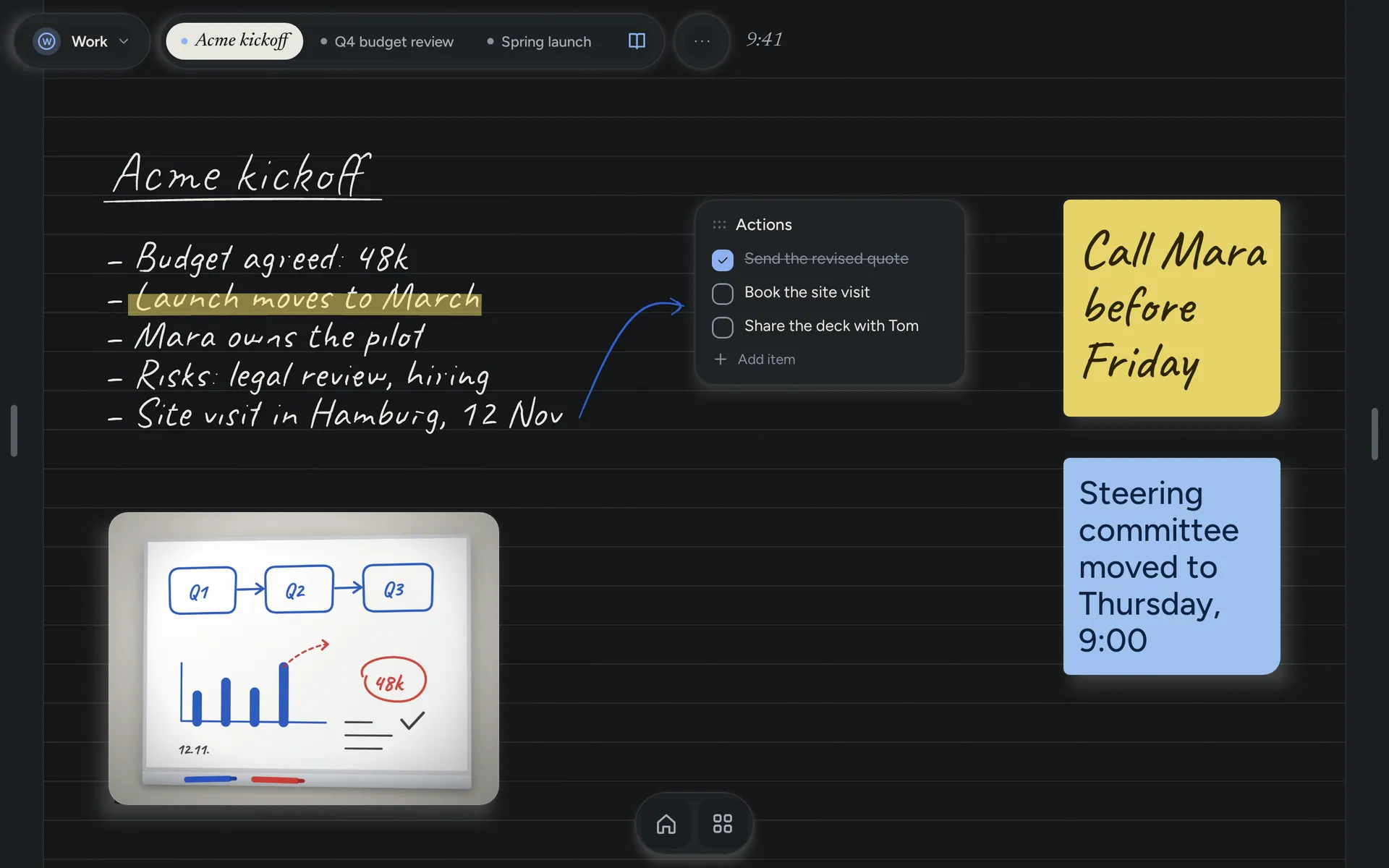
Paper for day and night. Light and dark themes, four papers, and a layout for left-handers.

Paper for day and night.

Light and dark themes, four papers, and a layout for left-handers.

In detail

Everything it does, in its own words.

Write, sketch, cross out, draw a mind map, check off a list, drop in a photo, and keep the apps you need on the same page: the slide deck beside the meeting notes, the calendar beside the week. Phones and foldables too, though it's on a tablet with a pen that it comes into its own.
NOTHING BETWEEN YOU AND THE PAGE

  • The pen writes wherever there's paper. A finger scrolls. While the pen is near the screen, your palm is ignored.
  • Pressure-sensitive ink, a highlighter and an eraser. Hold your stylus's side button to erase.
  • Every note is as long as you need it to be. Dots, lines, grid or blank paper.
  • Your handwriting stays handwriting. Hold any patch of writing to move it, drag its corner to resize it, or open it full screen to edit.
  • Make a note card or a to-do from your writing with one tap. The writing stays where it was.

IDEAS AS THEY ARE, NOT A BULLET LIST

  • Note cards in five paper colors, typed in a plain or a handwritten face.
  • To-do lists you can tick off.
  • Mind maps that lay themselves out as you type. You never drag a box into place.
  • Photos from your gallery, one picture or a few that take turns.
  • Hold the paper anywhere to add one. Hold a card to move it.

A NOTEBOOK THAT OPENS YOUR APPS

  • Put an app on the page it belongs to: the slide deck beside the meeting notes, the bank app beside the budget.
  • Keep your favorites in the dock. Everything else is one tap away in Apps.
  • Calendar, clock, music, timer, and any Android widget you already use.

ONE IDEA, ONE PLACE

  • Folders inside folders, pinned notes along the top, recent notes, and search across titles and everything you typed.
  • 22 templates, each dated for today: meeting notes, one-to-ones, client calls, Cornell notes, retrospectives, the day, the week, the month and more.
  • Separate Work and Home profiles, each with its own notes, pinned notes and paper color.
  • A home spot for each screen size, so a foldable opens where you left it whether it's folded or open.

PAPER NEVER ASKED YOU TO SIGN IN

  • No account, no sign-in, no ads, no analytics. Your notes never leave the tablet; if the app crashes, an anonymous crash report is sent so we can fix it.
  • A backup of every note is written each day you use it, and the last seven are kept. You can save one anywhere you like.
  • Deleted notes wait 30 days in the Trash. Every change can be undone.
  • Send a note to a colleague as a file, or open one they sent you.

GOOD TO KNOW

  • Built for Android tablets and foldables running Android 10 or later. It works on phones too.
  • Best with a stylus such as the Samsung S Pen or a USI pen. A finger, keyboard and trackpad all work, with shortcuts for the common actions.
  • Light and dark themes, larger text, and a left-handed layout.
  • In English, French, German, Spanish, Afrikaans and Hindi. Dates and times follow your language.
  • Notes Drawer is a home screen app. You can try it first and make it your home screen later from Settings.

And on your phone.

Your notebook, on every screen.
Hold the paper to add anything.
Templates for every meeting.
Every note, easy to find.

Questions

Before you install it.

What does Notes Drawer cost?

Nothing. It is free on Google Play, with no ads and no in-app purchases.

Do I need an account?

No. There is no sign-in, ever. Open it and write. Your notes stay on your tablet, and the only thing the app sends is an anonymous crash report if it fails.

Which devices does it run on?

Android 10 or later. It is built for tablets and foldables, and it works on phones too.

Do I need a pen?

A pen is best: the Samsung S Pen, USI pens and others work, with pressure and the eraser end. A finger, a keyboard and a trackpad all work too, and a note card can be typed.

Do I have to make it my home screen?

No. Open it like any other app, write a page or two, and make it your home screen later from Settings when you are ready.

Try it first. Make it home when you are ready.

Notes Drawer is a home screen app, but you do not have to switch on day one.