Meeting notes that start with the meeting
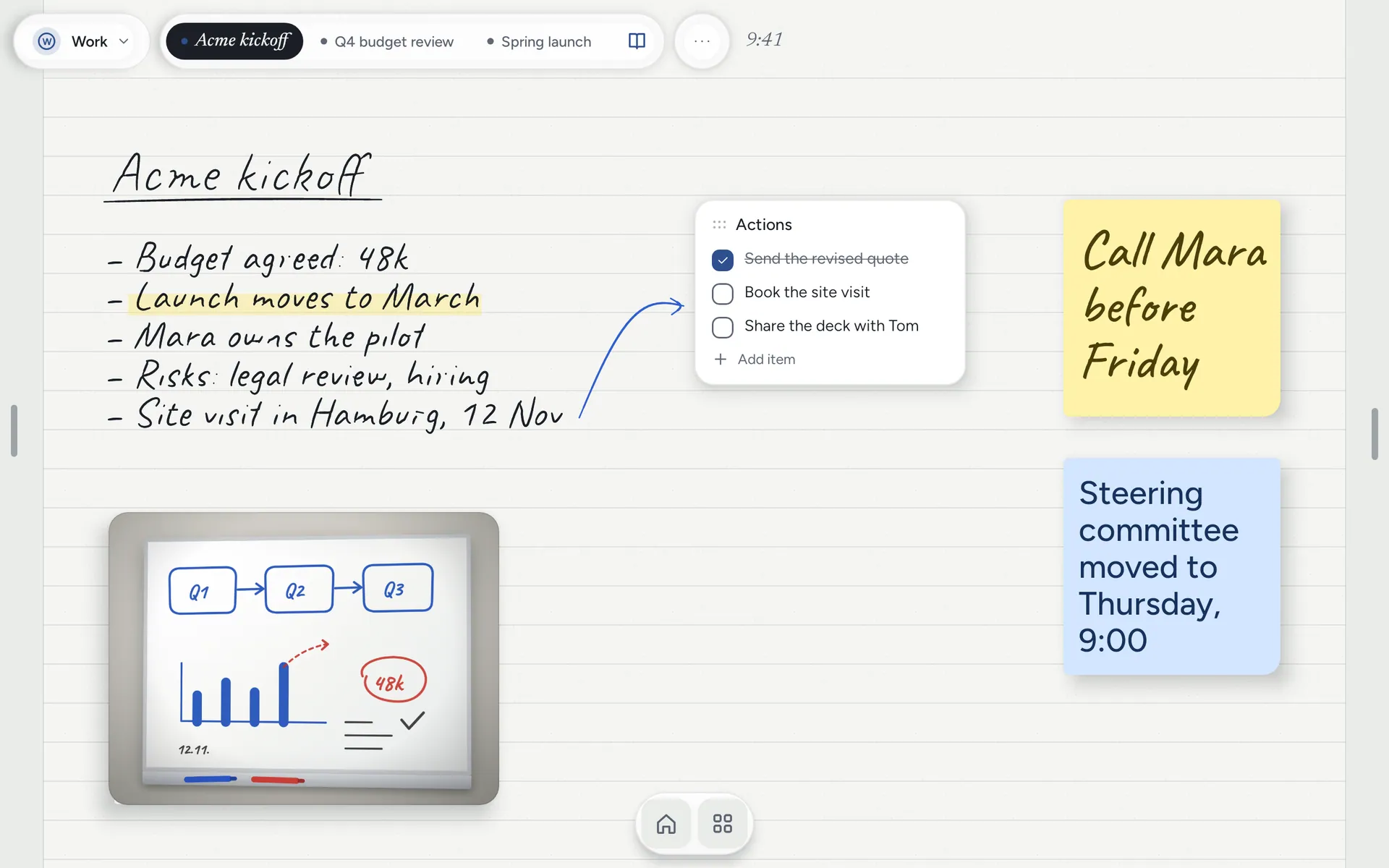
Notes Drawer's 22 templates open already dated for today, so the first stroke is the note and not the admin. Here is how a meeting page works.
The first two minutes of a meeting are when you most need a pen, and they are the minutes most notes apps spend on admin: a new note, a title, the date, who is in the room. Notes Drawer’s templates do that part for you.
Dated for today
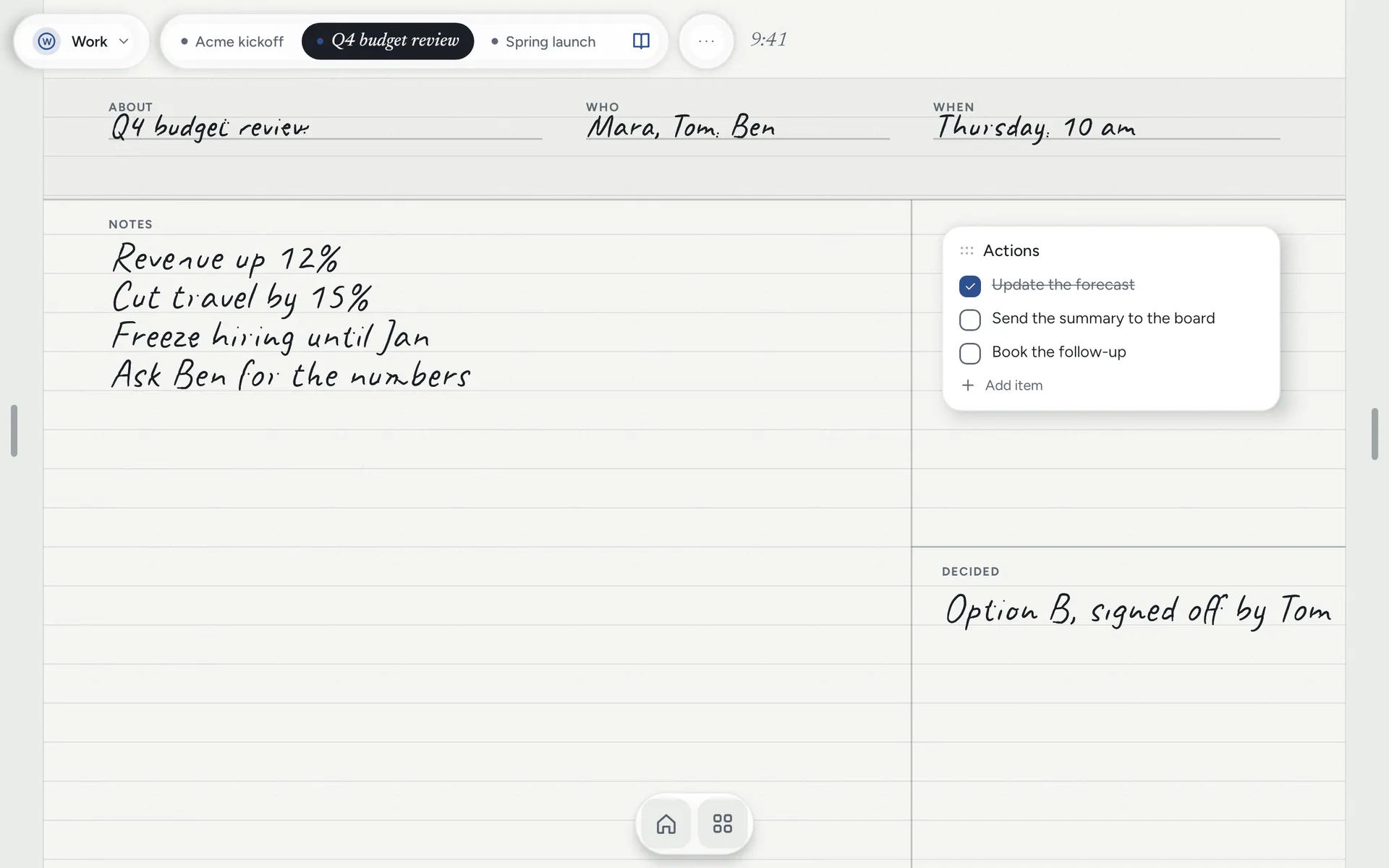
Every template opens with today’s date already on it. In Notes, tap From a template, pick one, and the note starts titled for today, with its structure in place: About, Who and When at the top, room for your handwriting in the middle, and places for Actions and what was Decided.
There are 22 of them. Meeting notes, one-to-ones, client calls, Cornell notes, retrospectives, the day, the week and the month, and more. Each one follows your language, so a German template is dated the German way.
Write first, sort later
Because the template is already on the paper, the pen goes straight to the note. Afterwards, tick the actions off as a to-do list, or turn a line of your writing into a to-do with one tap. The writing stays where it was.
It starts in the folder you were looking at, so the client’s meetings stay together. Folders inside folders, pinned notes along the top, recent notes, and search across titles and everything you typed keep every client and every meeting easy to find. Separate Work and Home profiles keep the two apart, each with its own notes and paper colour.
Your notes stay yours
Meeting notes are often the most confidential thing on a tablet. In Notes Drawer they never leave it: there is no account and no cloud. When a colleague needs them, send the note as a file, and they can open it in their own Notes Drawer.